


Making your Instagram account private further protects your online privacy. This limits who can see and interact with the information you share on the platform. Another benefit is that you can block comments and messages from strangers on your posts. However, this privacy feature can cause problems if you want to contact someone who wants to use your private Instagram account.
How can I send a message to a private Instagram account? Is this possible? Follow this guide to learn more.
Things to know when sending a message to a private account on Instagram
To protect the privacy of private accounts, Instagram has significantly restricted how you can interact with them. Therefore, you may encounter certain issues even after sending a message.
All messages you send to private accounts that don't follow you will appear in the Message Requests section. Instagram will not notify private accounts about these messages. Additionally, Instagram allows anyone to hide message requests to avoid receiving texts from unwanted profiles.
Furthermore, we strongly encourage users to make their accounts private to reduce unwanted interactions. Therefore, it is essential to respect user privacy and refrain from sending spam messages. It is best to refrain from using abusive language and harassment, as this could lead to trouble. There are several ways to report threatening users on Instagram, but doing so may result in them being permanently banned from the platform.
How to send a message to a private Instagram account
With the above points in mind, here's how to send a message to someone on a private Instagram account. You have two options: Send a follow request to their private Instagram profile, wait for them to accept, and then send a message. Alternatively, you can use the messaging function to send a direct message (DM) to a private Instagram account.
Send a follow request
If you're messaging someone you know in real life and want to connect with them on Instagram, you can send a follow request before messaging them. In this case, they will accept your request if they recognize you from your profile or messages.
1. Using a smartphone or PC Instagram Open it and log in.
2. Lower part Search icon Tap the (magnifying glass) icon.
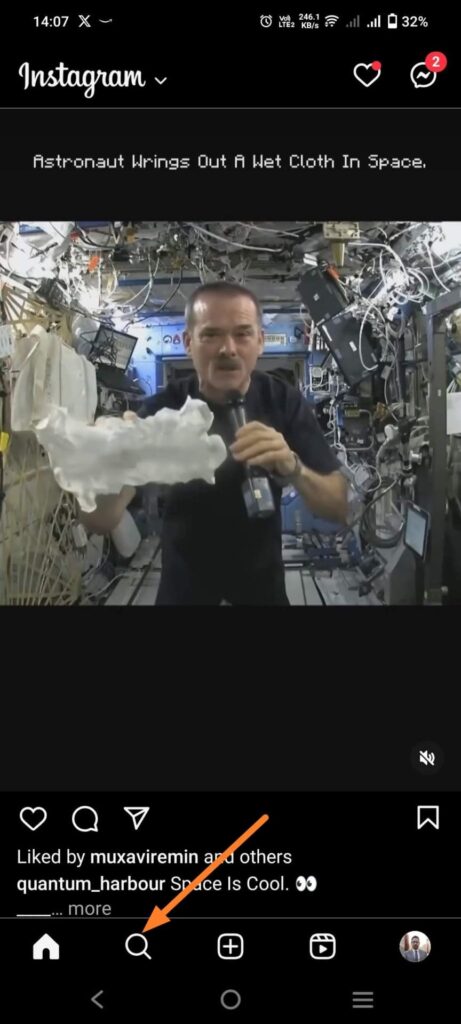
3. In the search section, enter the contact's account and search.
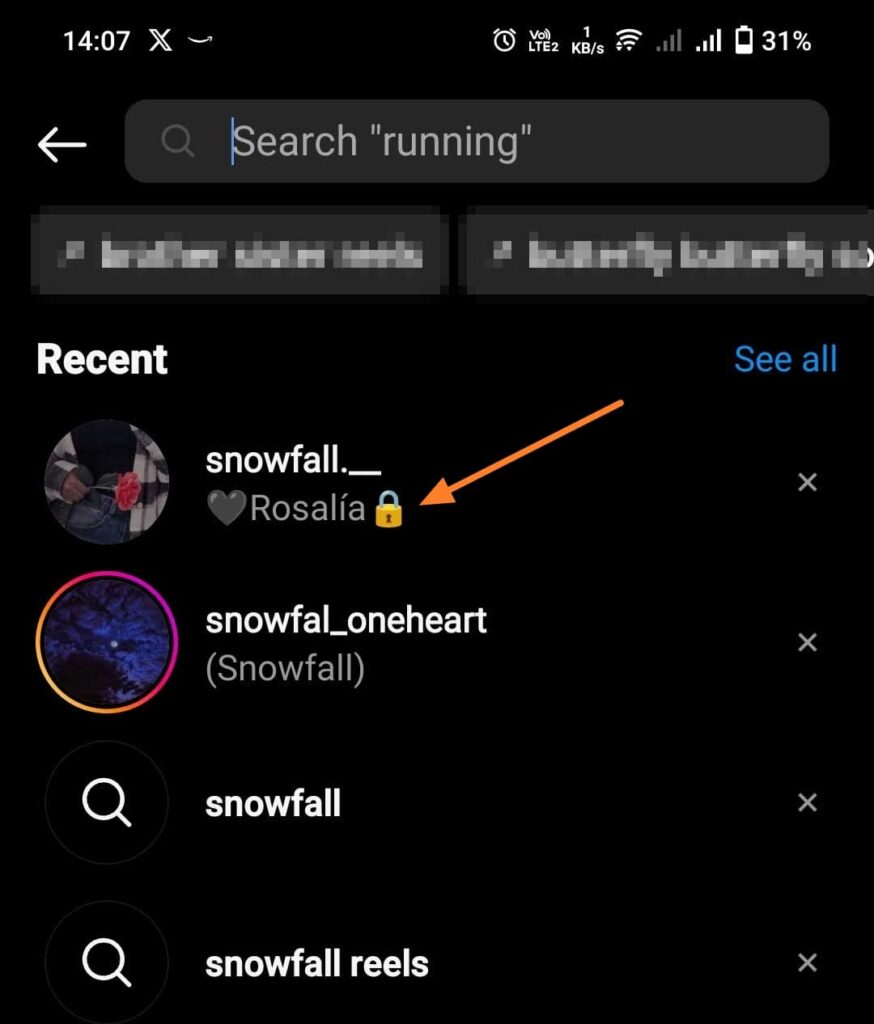
4. Tap a name in the search results to open that person's profile page.
5、 "Follow" Tap to follow the Instagram profile.
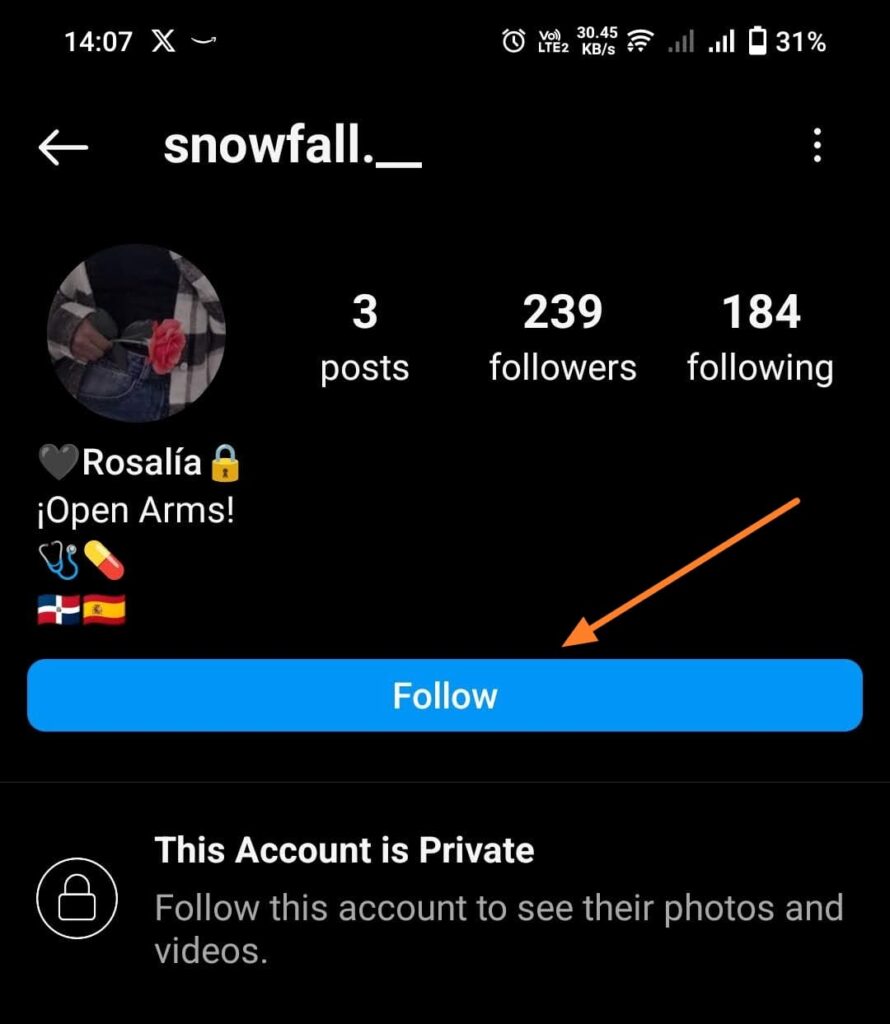
You need to wait until the other person accepts your follow request. Once they do, you can interact with them just like any other account that follows you. Messages you send will go directly to their inbox.
Download Message Request
If you want to send a message or have an urgent matter where you need to communicate something but aren't sure if the other person will accept your follow request, you can use Instagram's message request feature to send a direct message.
1、 Instagram Open it and search for the account you want to send a message to.
2. On the profile page, in the upper right corner 3 points Tap it.
3、 [Send message] Tap to send a direct message to that person.
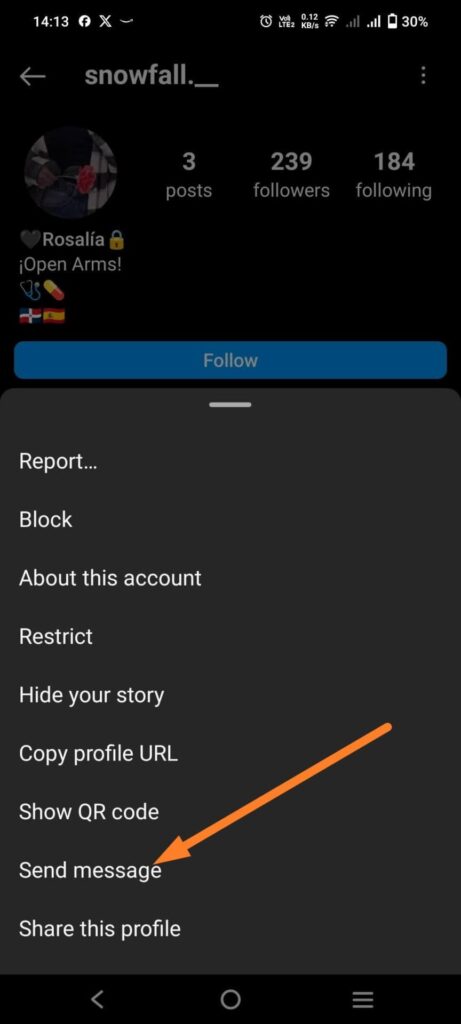
4. Type and send a message from the opened conversation.
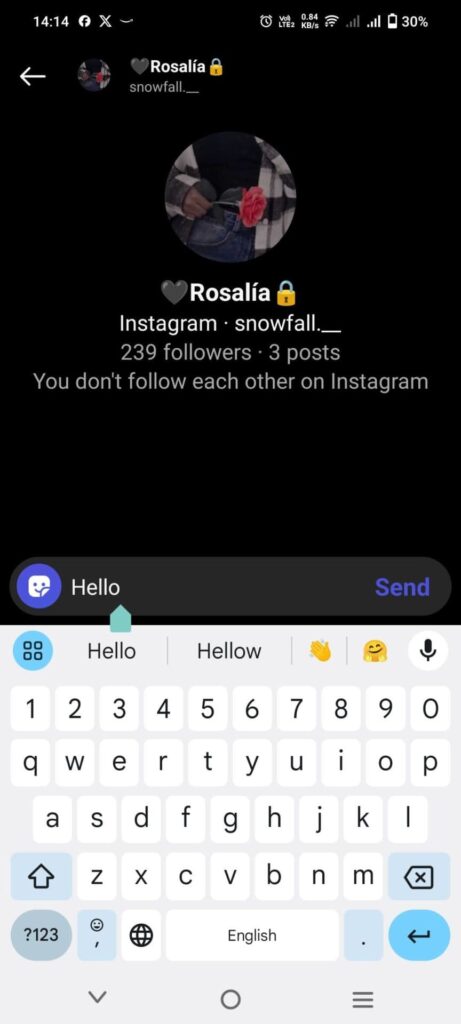
However, please note that your message will not go directly to their inbox. Instead, it will be sent to the Message Requests folder in your Instagram inbox. If they choose to accept the message, you can then converse with them. That being said, they may have already read your Instagram message without anyone else knowing, but you won't know that.
It's difficult to talk on a private Instagram account.
It is possible to send messages to private accounts, but please only do so if necessary. No one welcomes receiving spam or harassing messages. It leaves a bad impression and disrupts their peace of mind. If you want your privacy respected, always respect the privacy of others.
FAQ
Q: Why is there no "Send Message" option on my Instagram account?
A: If you are unable to send a direct message to the account owner, it may be due to the account's privacy settings or because it has been blocked or restricted by the account owner.
Q: Can I make a phone call to a private Instagram account user without following them?
A: Yes, once you send a message request, you can go to the message and make a call from the same screen by tapping the phone icon. However, you won't receive a notification until you follow me on Instagram.